
A good perfume advertisement is not just a random series of beautiful shots. The viewer should remember the bottle, feel the character of the scent, and understand the rhythm of a short story. This guide will take you from three reference images to a vertical AI spot: with your own idea, shot plan, prompts, and review of the finished film.
The images in the article are original illustrations of the fictional perfume concept "After the Rain." They are not frames from a rendered film. The capabilities, limits, and cost of generation depend on the model selected in the panel; verified on October 4, 2026.
First the Idea, Then the Video Model
Our advertisement lasts about 20 seconds and has a 9:16 format. It tells the story of a scent associated with the moment after a storm. Three motifs are sufficient: glass, wet stone, and calm water movement. The protagonist walks through a gallery with a shallow pool. The bottle remains on a single stone pedestal. The final shot allows the product to be viewed for a few seconds, instead of rushing to the next effect.
This is a conscious shift in approach from the typical long advertising prompt. Entering twenty very short shots in one command can create impressive chaos, but it complicates maintaining the shape of the bottle, the placement of props, and the timing of cuts. In the first attempt, it is better to plan 6–8 clear shots and generate the more difficult parts separately.
1. Prepare Three References with Different Roles
In a tool like PromptWise, you can select an image or video model and organize materials in one project. The specific number of supported images, clip length, and syntax of references depend on the chosen model. Check them in the panel before generation. When the interface marks files as @image1, @image2, and @image3, assign them clear roles in the same order.
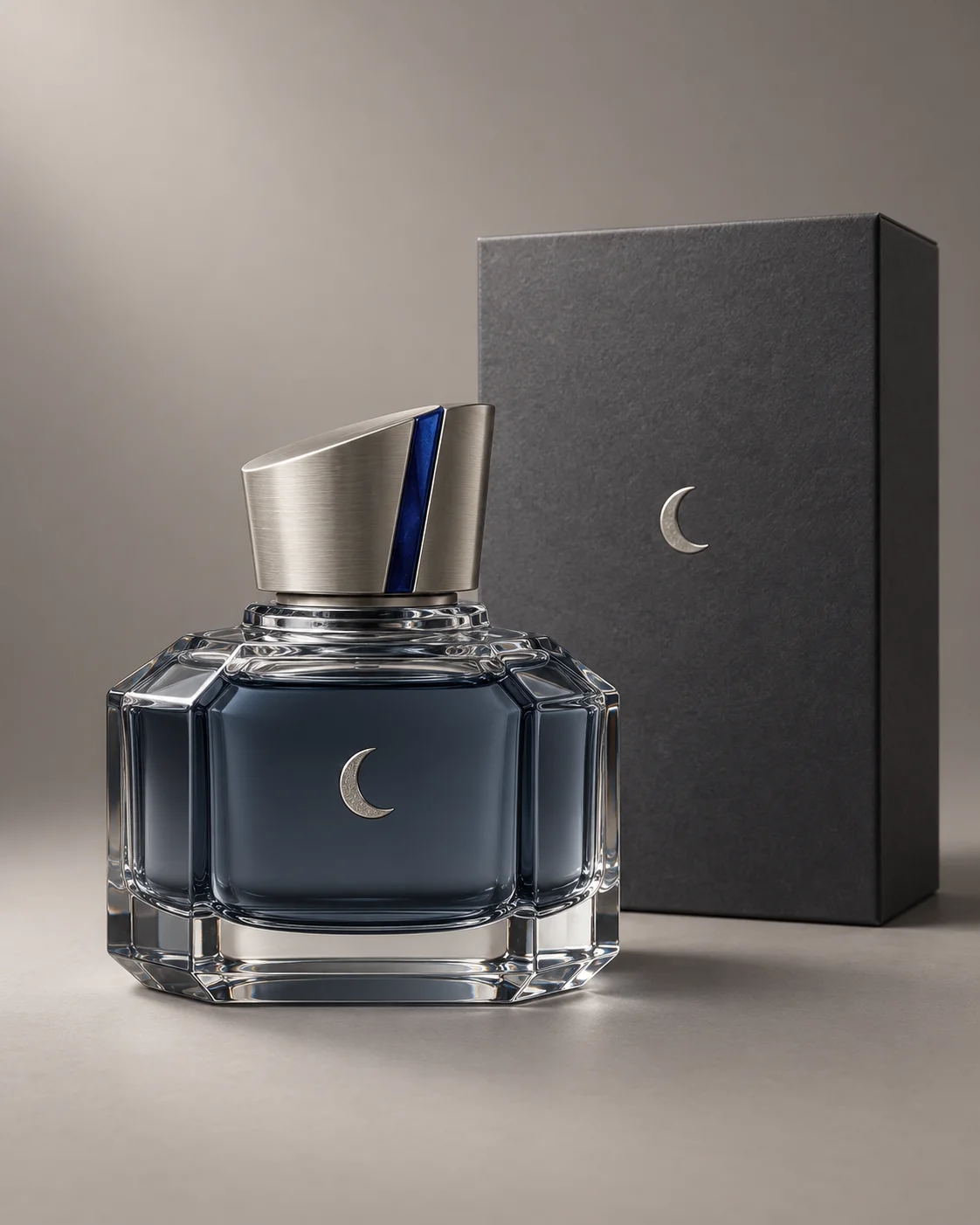
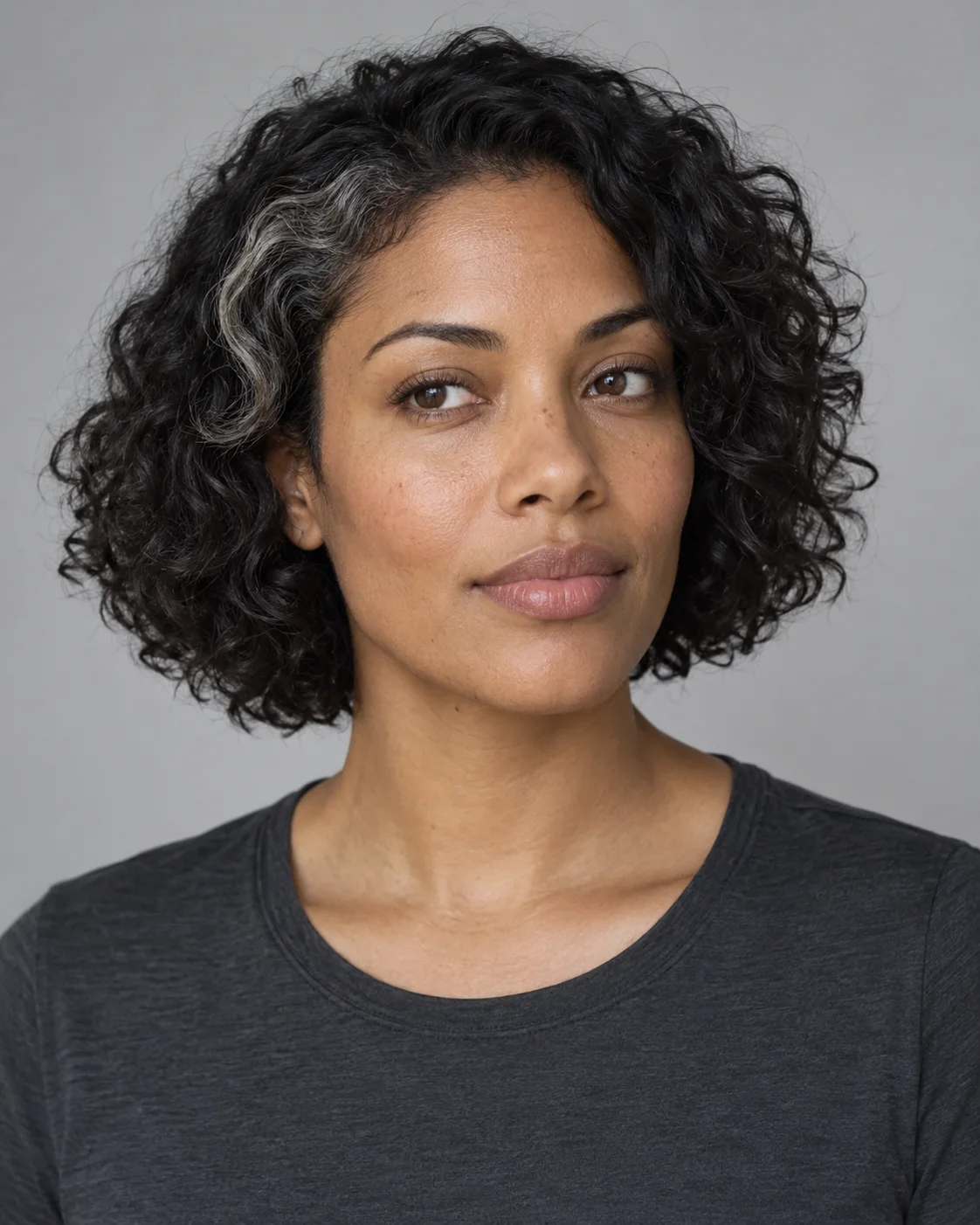
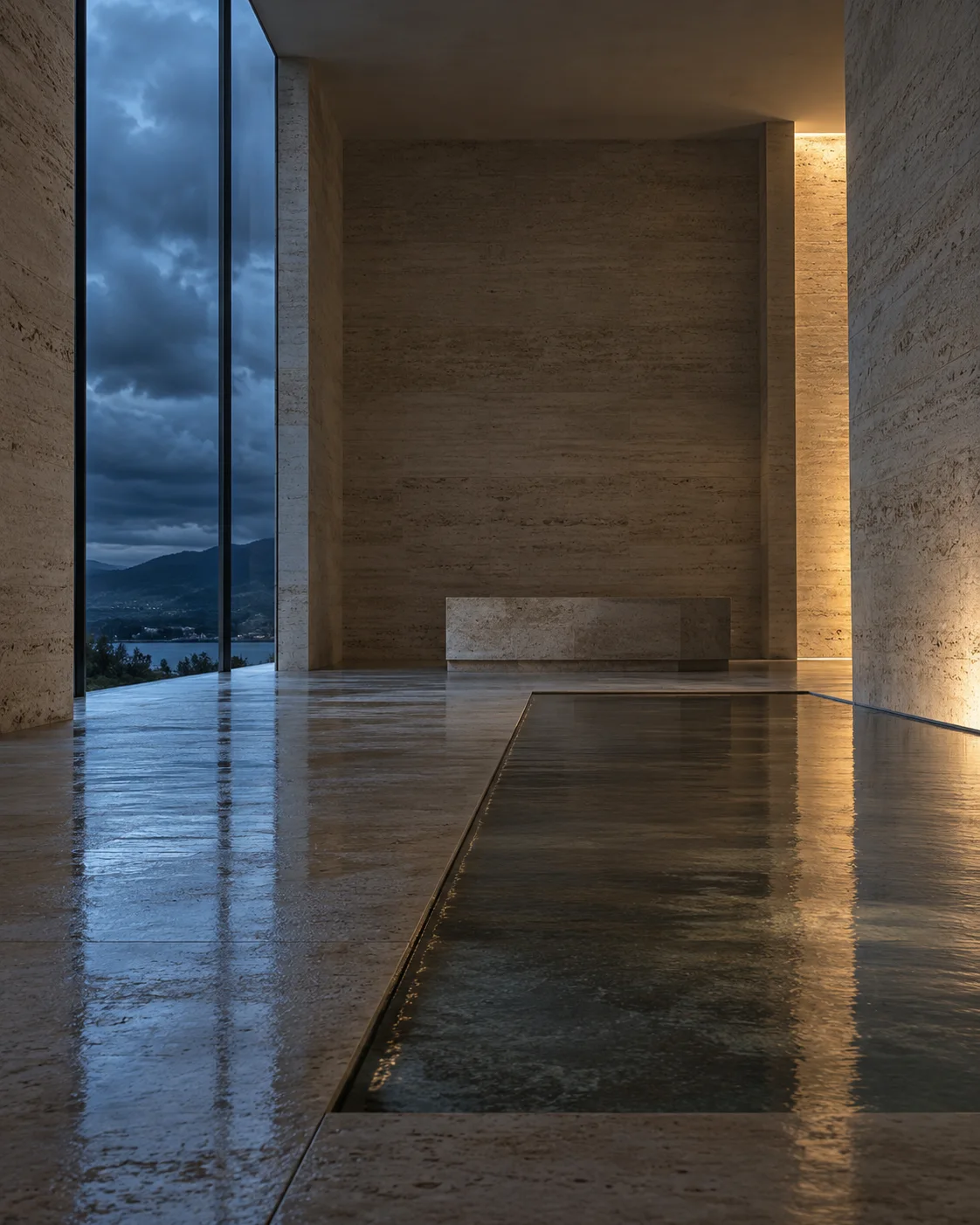
The product reference should show the entire bottle, preferably against a calm background. Note five features that must not be lost. In our example: a wide octagonal body, thick graduated glass arms, smoky blue-gray liquid, asymmetrical silver cap with a cobalt insert, and a small crescent on the front. If the real bottle has a readable brand name, check it separately: video models often distort letters. You can add the logo and final text later in editing from the original graphic file.
The person’s photo should show the face without obstruction. Do not upload a separate image of the outfit if a simple description suffices. Choose the location photo so that the camera, light, and geography of the room make sense: in our example, the cool window is on the left, and warm light glides across the right wall. These sides remain constant throughout the spot.
2. Create a Small Storyboard Before Writing the Prompt
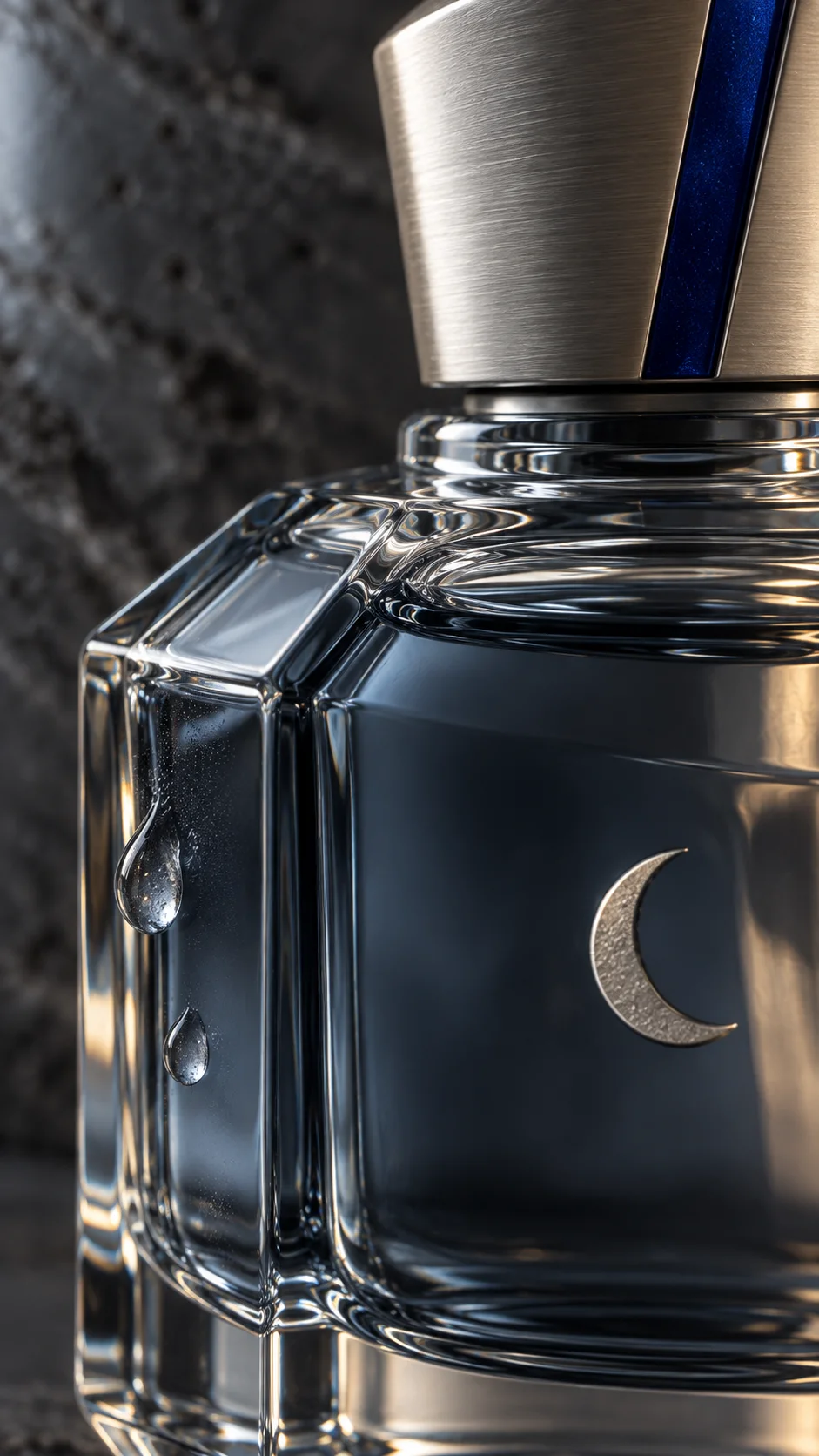
A storyboard is a list of shots with time, action, and purpose. It does not require drawing. A simple table that answers the question: why is the viewer watching this segment? The images below show three different scales from our concept – detail, person, and product in space.
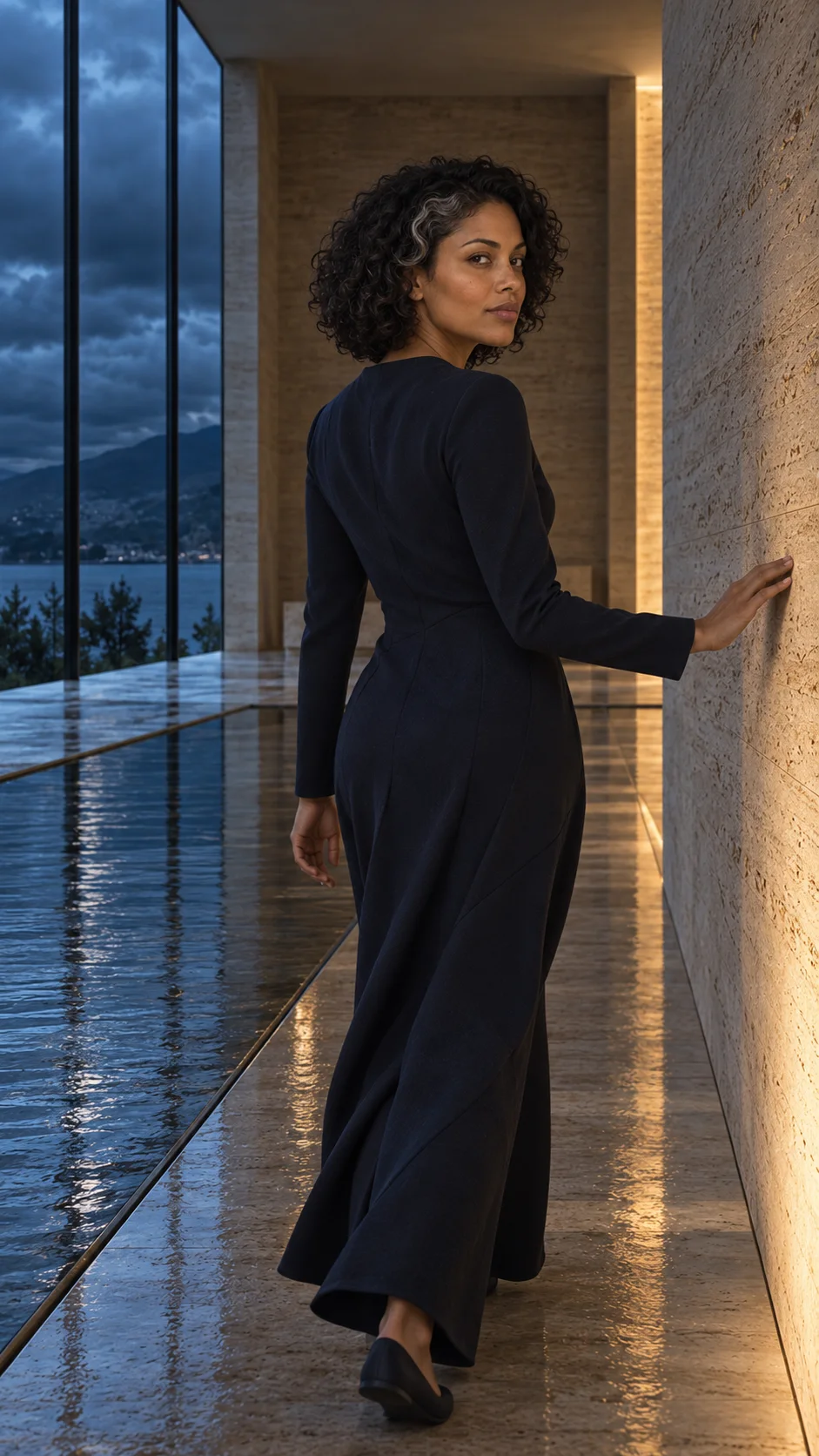
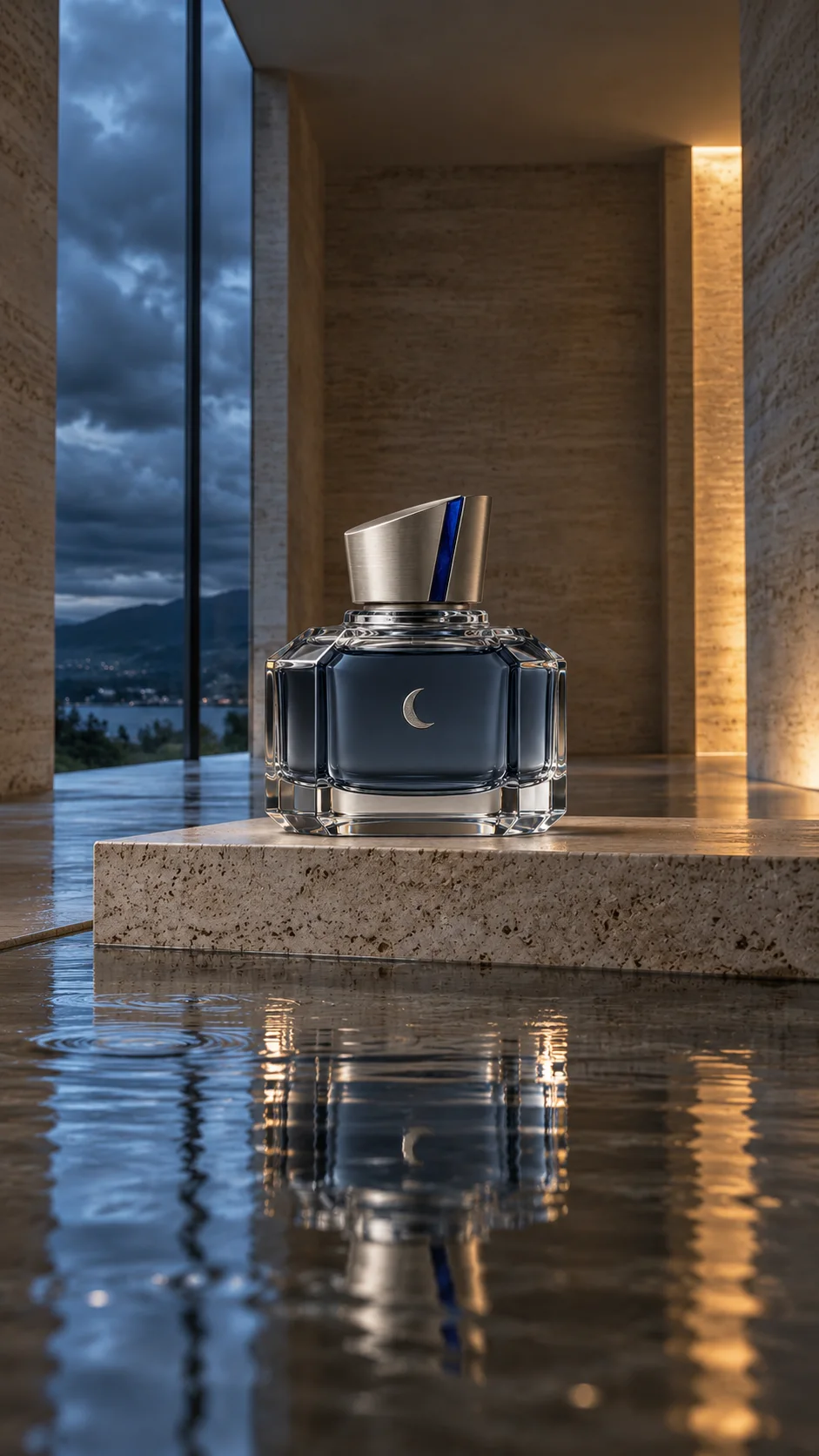
| Time | What is visible | What is supposed to happen |
|---|---|---|
| 0–2 s | Rain outside a high window | Introduction of the place and cool light. |
| 2–4.5 s | Macro of the bottle's edge | A drop slides down the glass; the shape of the bottle does not change. |
| 4.5–7.5 s | Heroine in a medium shot | Walks past the pool; hand lightly touches the wall. |
| 7.5–10 s | Hand and water | One touch creates one expanding wave. |
| 10–13 s | Reflection of the bottle | The wave passes through the reflection while the bottle remains dry. |
| 13–16 s | Silhouette moving away in the gallery | The shot gives a breath before the finale. |
| 16–20 s | Product on the same pedestal | Slow camera movement, then an almost motionless end. |
In the table, the bottle never changes location. The viewer sees it first in detail and reflection, and finally in full view. This simple solution eliminates a common mistake: the product "teleports" between shots. If you want to show the bottle being moved, you must plan the beginning and end of the hand's movement and a consistent shot after the cut.
3. Understand Camera Language Without Film Experience
| Term in the Prompt | Simple Meaning | Where to Use It |
|---|---|---|
| Medium Shot | You can see the person and part of the surroundings. | The heroine's passage through the gallery. |
| Macro / Close Detail | A small part of the object occupies most of the image. | Edge of the glass, drop, metal cap. |
| Low Camera Angle | The lens is close to the floor or the water's surface. | Reflection of the bottle and the wave. |
| Handheld Movement | Minor, human adjustments to the frame; no abrupt shaking. | Shots of the person and gentle final movement. |
| Hard Cut | One shot immediately replaces another. | Between a drop on glass and a drop in water. |
| Match Cut | A cut connects a similar shape or direction of movement. | Round drop → round wave. |
You can enter "50mm lens look" for the person and "85–100mm with close focus" for detail, but the model treats these numbers as visual guidelines. Evaluate the finished shot: do the face, hands, and bottle have the correct scale? Similarly, "24 frames/s and 180° shutter" describes the character of motion known from film cameras; in a real camera at 24 frames, this gives a time of about 1/48 s, but in AI generation, it does not guarantee identical image physics. If you are just starting, it is enough to describe "natural motion blur" and a specific shot.
4. Test the Scene in Short Segments
Do not start with a full 20 seconds. First, generate a still final shot, check the bottle, and then try three short sequences. The available length, number of references, and editing mode depend on the selected model in PromptWise. If a given model accepts only one starting image, prepare a separate starting image for each segment and animate it individually. In editing, combine segments according to the storyboard.
Vertical format 9:16. Use @image1 only as a template for one physical bottle: wide octagonal body, thick glass arms, blue-gray liquid, asymmetrical silver cap with a cobalt insert, and a small crescent. @image3 defines the same stone gallery and its light. Close-up of the real edge of the bottle standing on a dry pedestal. One drop slowly slides down the glass. Cool window on the left and warm reflection on the right. Minor human camera adjustments, natural optical sharpness. No additional bottles, shape changes, letters, or digital glare. Only distant rain and a quiet drop are heard.
@image2 defines only the identity of the adult heroine: facial features, skin tone, and short dark curls with a light strand. @image3 defines the only location: a travertine gallery, shallow pool, window on the left, warm light on the right wall. The heroine wears a simple matte dress in night navy throughout the shot. She walks calmly along the pool, lightly touching the wall, then touches the water's surface with one finger. One wave spreads from the point of contact. Natural step, proportions, and reflection. Camera from the side in a medium shot, slight handheld movement. No new person, change of outfit, bottle in her hand, or additional gestures. Sounds of footsteps, fabric, and one touch of water are heard.
The same single bottle from @image1 stands on a dry stone pedestal in the gallery with @image3. The camera first shows its reflection from a low angle above the shallow water. One wave slightly distorts the reflection, but the physical bottle does not move and is not submerged. Hard cut to a full view of the same pedestal and the same bottle. Slow lateral camera movement; the last second is calm, the shape of the bottle and silver crescent are clear. Cool light from the window on the left, warm reflection on the right. No box, second bottle, text, music, or fantastic effects. Only the quiet echo of the room and the fading wave.
Short generation allows you to fix one problem without redoing the entire advertisement. If the bottle deforms in macro, improve prompt A or the starting image. If the face changes during the walk, improve prompt B and use a clearer character reference. If the reflection does not match the bottle, work on C.
5. Full Prompt for a Model Supporting One Longer Sequence
If the selected model allows for about 20 seconds and the appropriate number of references, you can use one compact prompt. Match the file designations to the interface. Do not assume that the seconds will hit exactly per frame; after generation, review the result and, if necessary, switch to separate segments.
Task: vertical advertisement film 9:16, about 20 seconds, a consistent photographic world after the rain. Motifs: thick glass, wet travertine, calm water. One bottle, one adult heroine, and one gallery. Do not add scenes from other places.
REFERENCES: @image1 defines only the physical product. Keep the wide octagonal body, graduated glass arms, smoky blue-gray liquid, asymmetrical silver cap with a cobalt insert, and small silver crescent. The box from the reference does not appear in the film. @image2 defines only the face, skin tone, and hair of the heroine; ignore the clothing and background of the photo. @image3 defines the gallery: travertine, shallow pool, high window on the left, and warm light on the right wall. The heroine wears one matte dress in night navy.
CAMERA AND LIGHT: realistic film image, 24 frames/s as a motion guideline, natural blur, calm handheld camera. Macro of the glass has shallow focus; medium shot retains the layout of the room; low shot shows the true reflection in the water. Cool light from the window and warm reflection on the stone remain on the same sides in all shots. Real skin texture, weight of glass, physical drops, and one naturally spreading wave.
EDITING: 0–2 s rain outside the window; 2–4.5 s detail of the edge of the same bottle and one sliding drop; 4.5–7.5 s heroine walks past the pool and lightly touches the wall; 7.5–10 s her finger touches the water once; 10–13 s the wave passes through the reflection of the still bottle; 13–16 s the heroine moves away in the same gallery; 16–20 s calm full shot of the product on the same pedestal. Only hard cuts. Combine similar directions of movement, but do not morph one object into another. Keep the end long enough to recognize the bottle.
SOUND: no dialogue, voiceover, music, or transition sounds. Only sounds of visible events: gentle rain, footsteps, rustle of fabric, touch of water, and quiet echo of the gallery. No subtitles or end credits; the brand name and slogan will be added in editing.
CONTINUITY: exactly one bottle on one pedestal; the product is never in the heroine's hand or underwater. The heroine has the same face, hairstyle, and dress. The shape of the cap, color of the liquid, symbol, and direction of light do not change between shots. No new characters, box, logo with invented text, second pool, or unplanned props.
Sound, Text, and Export: The Last 10% of the Work
In the practice version, we ask for only ambient sounds, as it is easier to capture whether the sound matches the image. Rain should exist by the window, footsteps during the walk, and a wave after touching the water. If the model generates a track with mismatched effects, mute it and build simple sound in the editor. You can add music later if you have the appropriate license. Do not rely on automatically invented "cinematic" hits on every cut.
At the end, add the real product name, logo, and any slogan as a text layer. This way, the letters will remain sharp, and the brand will align with the design. Leave safe margins for vertical video: buttons and captions from social media platforms may cover the bottom and right side of the screen. Before exporting, watch the film on a phone with the sound off. If you can still recognize the product and mood without audio, the editing is clear.
What to Check Before Publication
- Product: count the bottles in each shot; check the neck, cap, symbol, proportions, and liquid level.
- Person: compare the face and light strand in the first and last frame with the heroine; watch the hands and reflection.
- Space: the window, pool, wall, and pedestal must belong to the same gallery.
- Physics: the bottle stands above the water, the wave goes from the point of contact, the reflection corresponds to the product's position, and the drop does not turn into a streak of light.
- Rhythm: no shot repeats the same information, and the last seconds indeed show the bottle.
- Rights: use your own product, images, and the person's likeness with their consent; check the terms of the selected model and platform for commercial advertisements.
If Something Looks Wrong, Change Only One Thing
| Problem | Most Useful Fix |
|---|---|
| The bottle looks different in each shot | Generate an approved shot of the product and use it as the starting image for subsequent product shots. Shorten clips. |
| The letters on the label are unreadable | Do not force typography in generation. Add the real label design or logo in post-production. |
| The face changes from profile | Use an additional compatible reference shot of the same person and a less extreme angle. See our AI character card. |
| The water behaves unnaturally | Separate the scene with the touch from the shot of the reflection; describe one point of contact and one wave. |
| The film is too fast or chaotic | Remove half of the cuts, leave a medium shot to read the place, and a minimum of a few seconds for the finale. |
| The light changes sides | In each prompt, repeat a simple map: cool window on the left, warm wall on the right. |
How to Transfer the Method to Your Own Brand
Do not copy our gallery if your scent tells a different story. For a fresh scent, you might choose a bright orangery, citrus peel, and soft curtain movement. For a heavier scent: dark wood, a side lamp, and slow shadow. Always start with one thought, three materials, one light map, and five features of the bottle. Then choose a gesture that makes physical sense in this world.
If you need to better understand framing, read our guide on focal lengths in AI films. We also write about maintaining light and rhythm between shots in the guide to cinematic looks from one recording. For face references, the character consistency card will be useful.
Comments (0)
No comments yet. Be the first!