
The character looks great in the first frame, but in the second, she has a different nose, hair, or jacket? Before you create a series of images or a film, prepare a continuity card: several organized views of the same person, a description of traits, and a list of elements that must not change. We will demonstrate this with an original heroine and ready prompts.
The illustrations are original examples. A reference card increases the chances of consistency, but no current generation guarantees an identical face in every scene.
What is a character card?
It is a working document for subsequent generations. Instead of writing "woman in a jacket" each time, you show the model a specific person: a face from the front and side, silhouette, clothing, important details, expressions, and colors. The card also helps a person notice errors: if a scar suddenly changes the eyebrow, you immediately know what to correct.
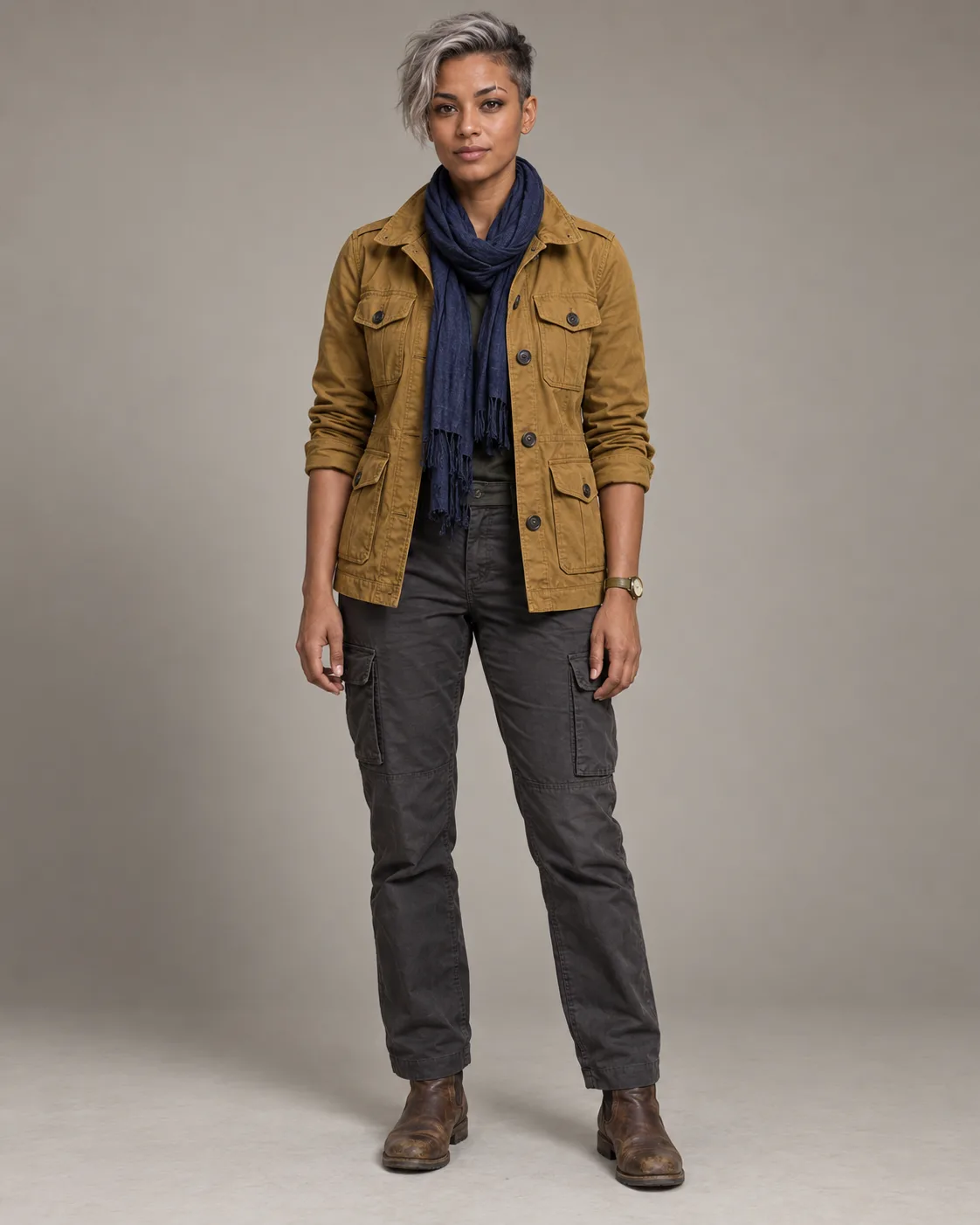
First, choose a good source image
The best reference shows the face, hairstyle, and most of the outfit in even lighting. Sharp sunglasses, a hand covering the cheek, or a very dark filter will make it difficult to replicate features. If you only have a portrait, do not expect an accurate depiction of the shoes: the model will have to invent them. Note this uncertainty in the card.
Our character has a medium complexion with a copper tone, a short silver undercut, a small scar crossing the right eyebrow, a mustard field jacket, a navy scarf, and dark pants. These are features that can be visually verified. The term "charismatic" may help with the mood, but it does not serve as a visual lock.
Break the card into readable parts
| Part | Purpose | What to Check |
|---|---|---|
| Profile | One-sentence description and fixed traits | Are there any traits added that are not visible in the photo? |
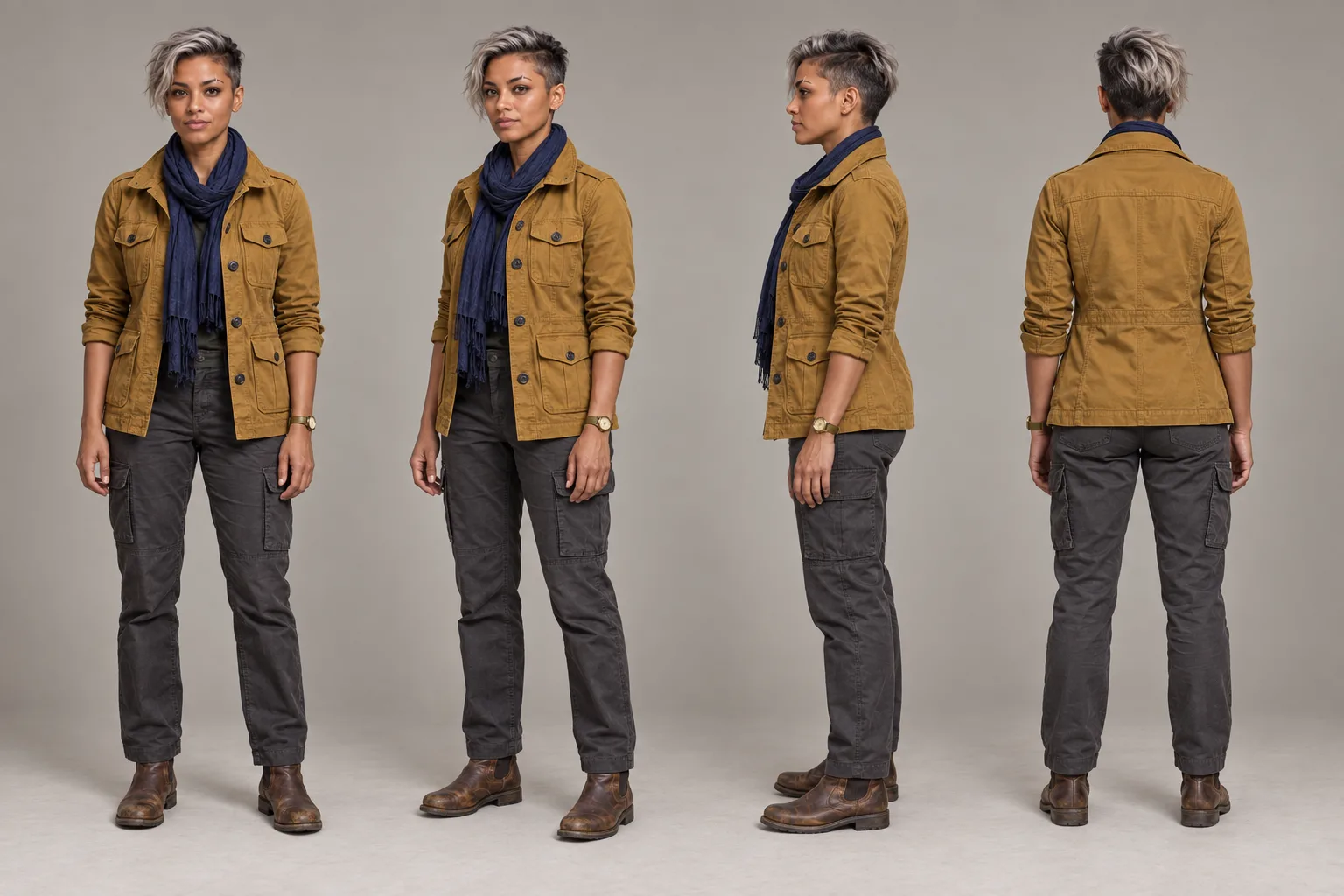
| Body Rotations | Front, three-quarter, side, back | Height and length of clothing in the same scale. |
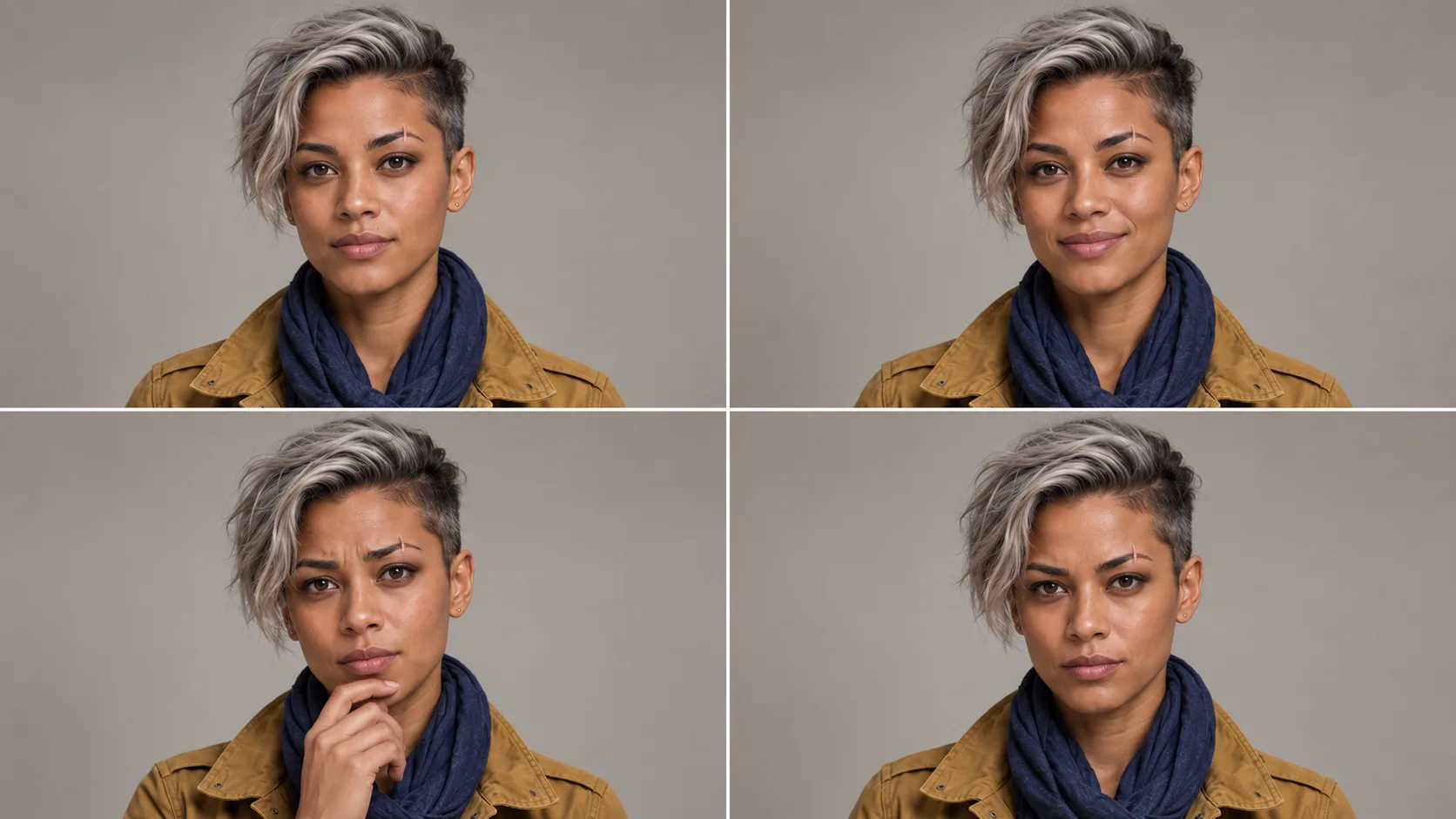
| Close-ups of the Face | Geometry of the face and hairstyle | Eyebrows, nose line, scar, skin tone. |
| Expressions | Reactions without changing identity | The same face even when smiling and surprised. |
| Outfit | Seams, layers, fastenings, shoes | The same clothing parts in all panels. |
| Colors | Palette for later scenes | Samples taken manually from the image. |
A large board with everything at once can be impressive, but small faces and text may be incorrect. In practice, it is better to do rotations and expressions separately, and only then compile the approved images into one document. Do not treat HEX codes generated as text on graphics as measurements; use a color picker in an editor to obtain the color.
How to prepare a card in Picsart
Open Picsart AI Playground. If you have access to GPT Image 2, select it, go to editing with the image, and attach your own reference. The names of modes and limits depend on the current panel. First, generate rotations, then expressions. Choose the best results and keep the source image next to them.
Use the attached image as the only source of identity for the fictional heroine. Prepare four full views of the same person: from the front, at a three-quarter angle, from the side, and from the back. All views in the same scale, neutral posture, entire shoes and top of the head visible, uniform light background, soft studio lighting.
Maintain the same facial structure, skin tone, short silver hairstyle, scar on the right eyebrow, mustard jacket, navy scarf, dark pants, and shoes. Show the logical construction of the outfit from the back and side. No alternative clothing, new accessories, other characters, or text. If a detail is not visible in the reference, fill it in as sparingly as possible.
Based on the attached reference, prepare a grid of four portraits from the shoulders up. This is exactly the same fictional heroine and the same outfit in each panel. Emotions: neutral, mildly amused, concerned, determined. Change the facial muscles, not its structure. The same scar on the right eyebrow, eye color, hairline, skin tone, and lighting. Bright neutral background, no captions or additional people.
Identity Lock in Later Prompts
For a new scene, attach the approved portrait and the appropriate silhouette view. Specify the role of each image. For example: "@Image 1 is the face and hair; @Image 2 is the silhouette and outfit; do not copy the neutral background of the board." Only then describe the action and location. Do not add five nearly identical but slightly different portraits: conflicting references can weaken consistency.
The character in this scene is a fictional heroine from @Image 1 (face, hair, scar) and @Image 2 (silhouette, mustard jacket, navy scarf, dark pants). Maintain her age, features, skin tone, proportions, and outfit. Do not de-age, beautify, change hairstyle or accessories. Change only the pose, expression, and location described below.
Receiving the Card: Five Questions
- Does the face from the profile and three-quarter views still look like the same person?
- Are the scar, hairstyle, and outfit elements on the correct side?
- Do the hands, legs, and shoes have credible proportions?
- Are the captions and color codes correct? If not, add them manually outside the generator.
- Do you have the right to use the person's photo and publish derivatives?
The card is a control tool, not a magical "freezing" of the character. In the film, check the face at the beginning, when turning the head, and at the end. Also, see our guide to references in AI film and editing existing footage in Genjutsu.
Comments (0)
No comments yet. Be the first!